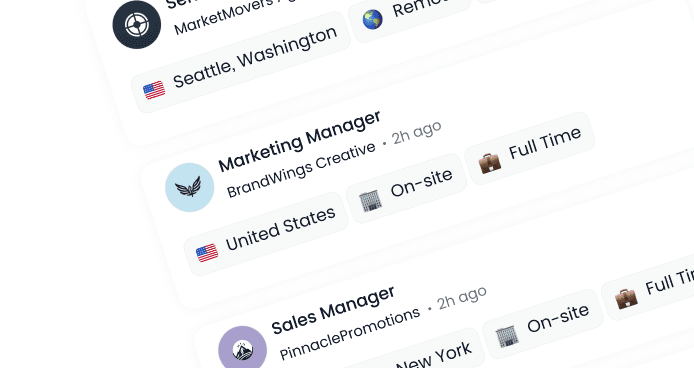


Step-by-Step: Using AI Job Search Based on Your Resume
Published:
All
Video Resumes
Career Development
Job Seeker Tips
AI Recruitment
See how your resume becomes the starting point for smarter, faster job matches.
If you've ever stared at a modern-day job board wondering where to even start, you're not alone. The good news? AI can now do a lot of the heavy lifting for you.
This guide is your practical AI job search guide; it will show you exactly how to use an AI job search based on your resume so you can find better matches with less guesswork, even if you're not tech-savvy.
We suggest you read this until the end as we'll be going through all the steps to use AI-based job search. So without further ado, let's begin.
What Is a Resume-Based AI Job Search?
A formal definition of resume-based AI job search would be: an intelligent system that utilizes a person’s resume to instantly search out hundreds if not thousands of job ads and recommends that most relevant (best matched) to the job seeker’s experience and skill set.
To put that into perspective, legacy job boards were more keyword focused and not smart enough to understand context and skillsets – an example, python expert in terms of software rather than a zoologist who is knowledgeable and capable of handling the animal.
You upload your resume once.
The system uses AI resume scanning to read your skills, experience, and career level.
It recommends roles that match you, instead of forcing you to hunt for them.
Modern smart job search tools use natural language processing to understand more than just keywords, they recognize job titles, skills clusters, seniority, and even related roles that might fit your background.
Step 1: Ensure That Your Resume is AI-Ready
Before you plug into any AI-powered job discovery, give your resume a quick tune-up. These resume optimization steps help AI understand your skills more accurately:
Use obvious headings such as experience, education, skills, projects.
Use standard job titles where possible (eg "Customer Support Specialist" instead of "Customer Happiness Wizard").
Add a skills section with relevant tools and platforms, as well as soft skills.
Add numbers where you can: "Increased response time SLA adherence 85% to 96" for example.
You can even use a general AI tool to scan your resume for clarity. Just ensure to go over everything thoroughly and make changes as required that it is 100% truthful.
Step 2: Upload Your Resume on a Smart Job Search Tool
Now it is time to put your resume to work. Most modern platforms that facilitate an AI job search based on your resume will follow something similar as a flow:
Create a free account for job search
Upload your Resume (PDF or DOCX), or paste your Resume's content in a profile form.
Mention any relevant headlines, your location, and even desired salary range can be added.
Save your profile to get the system to start to suggest jobs.
Behind the scenes, the AI will parse your resume and profile and start building a picture of:
Your core skills
Normal Level of Job (entry-level, mid, senior)
Your history of industry and position
Related jobs typically that go with your experience
This is the foundation your AI job finder tutorial is built on: one upload, many smarter suggestions.
Step 3: Understand the Process of How an AI Reads Your Resume
Once your resume is brought into the platform, you may want to spend a few minutes snooping around its displays, and see how it interprets your story. This part is crucial for accurate resume-based job matching. Look for features such as:
Detected skills or tags - Can your key skills be detected?
Suggested job titles - Is this what you really want?
Match scores - Some tools provide an indication as to how well you match a role, based on content found in your resume.
If something looks off:
Edit your resume or profile to make sure you focus on missing skills that you do have.
Change job titles slightly to more standard job title (without inflating your level).
Add a brief summary stating the kind of job you are looking for.
This step teaches the AI how to recommend more accurate opportunities during AI-powered job discovery.
Step 4: Optimize Your AI Job Search for Better Matches
AI is powerful, but it requires your direction. To get the most from job seeker automation, combine your resume data with smart filters:
Location - Specify where you can work i.e., remote, hybrid or onsite.
Seniority level - Entry level, mid level, senior, management.
Preferred industries - Tech, Healthcare, Education, Finance etc.
Must use skills or tool - e.g. "Salesforce," "Python," "SEO," "customer success."
Including such information will allow the AI to create a more refined and personalized list of recommended jobs with fewer random roles and more exact and relevant matches.
Step 5: Use AI Responsibly to Customize Your Job Applications
Once you've found a good match, AI can jump in to help you with the tedious parts without stealing your voice. You can use AI to:
Take your resume and the job description and transform them into the appropriate bullet points.
Write a cover letter matching the language of the employer.
Suggest relevant keywords that will complement your resume.
This is where resume optimization steps and AI resume scanning come together: the tool sees both sides (your resume and the job post) and helps you close gaps.
Pro tip: Think of AI as your brainstorming buddy to help you with ideas, formatting and to get a rough draft and then you need to rewrite and edit so the final version is truthful still sounds like you.
Be Honest as You Use Automation
AI may speed up your search, but it can also tempt you to go overboard. In a Capterra survey it was noted that 58% of job seekers used AI for job applications; however, at the same time it mentioned that 83% of those who are using it have overly embellished or lied about their skills using AI.
Exaggerating on your resume can lead to awkward situations. You could get the interview; however, it could also get you rejected in the initial stage when you won't be able to back it up. To use job seeker automation safely:
Never add skills or tools that you have not actually used.
Don't take credit for your seniority or leadership you are not entitled to.
Use AI to clarify and organize your experience (and not invent it).
Keep a dated record (spreadsheet or notes app) of jobs you've applied to.
The goal is to let smart job search tools do the heavy lifting while you stay authentic and in control.
Step 6: Make the Weekly AI Matching a Routine
Instead of logging in randomly and getting overwhelmed as a result, add some simple calm rhythm to your AI job search based on your resume:
Once a week: Make sure to update your resume or profile with fresh achievements or projects.
2-3 times a week: Now check new recommended roles directly by the AI and apply to the best therapist.
Ongoing: Use AI for preparation of interviews (mock questions, motion practice, company research)
By turning this into a habit, you let the smart algorithms do continuous AI-powered job discovery in the background while you focus on doing your best work.
In Conclusion
If you're ready to move from "scrolling and guessing" to a resume-based job matching experience, you can:
Sign up for free on DigitalHire,
Upload your resume and create your video profile, and
Let our matching AI engine suggest positions similar to you based on your skills, aspirations and personality.
Use the steps in this AI job finder tutorial as your roadmap: make your resume AI-ready, upload it once, refine your preferences, and let the platform surface opportunities you might have missed.
Find Your Dream Job
Put your best foot forward in your job search. Stand out from the crowd, and get hired fast!